JPEG, JPG and JFIF: Are They Different?
JPEG, JPG and JFIF: Are They Different?
If you’ve ever worked with images on your computer, you’ve probably come across file extensions such as .jpg, .jpeg, and sometimes .jfif. At first glance, they may look like three different image formats, which can make it confusing to know which one you should use.
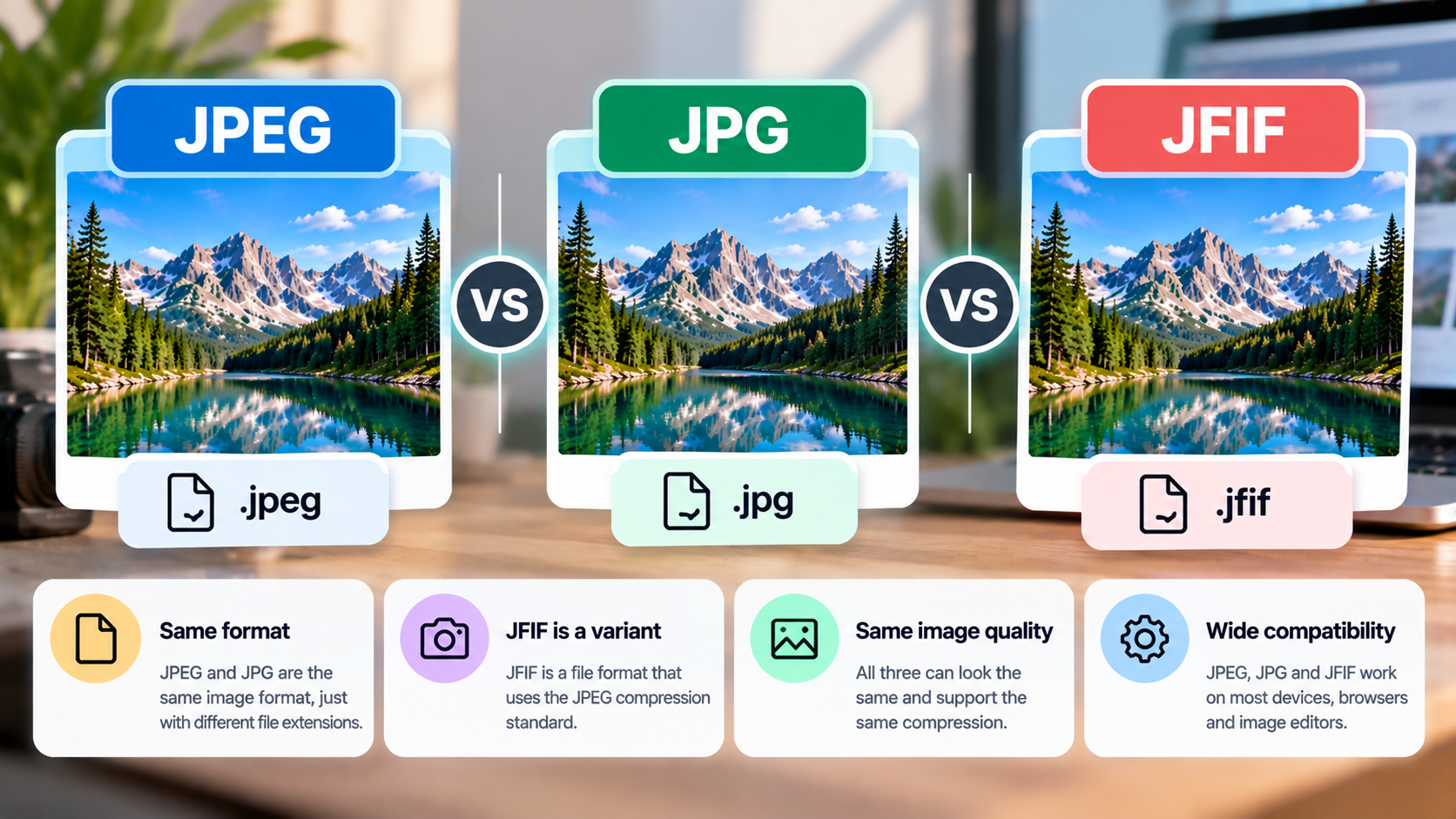
The good news is that JPEG and JPG refer to the same image format. JFIF is slightly different: it is a file format that specifies how JPEG-compressed image data is stored and organized.
In this guide, we’ll explain the differences between JPEG, JPG, and JFIF, why these extensions exist, and what to do if your computer saves an image with an unexpected extension.
1. What Is JPEG?
JPEG stands for Joint Photographic Experts Group, the committee responsible for developing the widely used JPEG image compression standard.
The format is particularly popular for photographs because it can significantly reduce file size while preserving a reasonable level of visual quality.
JPEG uses lossy compression in its common form. This means some image information is discarded during compression to make the file smaller.
JPEG is widely used for:
- Digital photographs.
- Website images.
- Images shared through email or messaging applications.
- Product photos and online galleries.
- Images stored on cameras, phones, and computers.
One important distinction is that JPEG describes an image compression standard, while file formats such as JFIF define how JPEG image data can be packaged into a file.
In everyday use, however, people often use the term JPEG to refer to both the compression method and the resulting image files.
2. What Is JPG?
JPG is simply a shorter file extension commonly used for JPEG images.
The extensions .jpg and .jpeg refer to the same general image format. There is no inherent difference in image quality or compression simply because one filename ends in .jpg and another ends in .jpeg.
For example, these two filenames can represent equivalent types of image files:
holiday-photo.jpgholiday-photo.jpeg
The reason both extensions exist goes back to older operating systems, particularly DOS and early versions of Windows, which commonly limited file extensions to three characters.
Because .jpeg contains four characters, .jpg became a convenient alternative.
Modern operating systems don’t generally have this limitation, but both extensions remain widely used.
The important point: Changing .jpg to .jpeg, or the other way around, doesn’t automatically change the image’s contents. It only changes the filename extension.
3. What Is JFIF?
JFIF stands for JPEG File Interchange Format.
It is a file format designed to make JPEG-compressed images easier to exchange between different systems and applications. It specifies details such as how JPEG image data is represented in a file, including certain information about color and image characteristics.
You may encounter JFIF files when downloading images, saving pictures from applications, or working with files created by particular software.
For example, you might see a file named photo.jfif instead of the more familiar photo.jpg.
Although the extension looks different, the image may still contain JPEG-compressed data and can often be opened by standard image viewers and editors.
JFIF isn’t simply another spelling of JPG. Rather, it is a specific file format associated with JPEG image data.
4. JPEG vs JPG vs JFIF: What’s the Difference?
Here’s a quick comparison of the three terms.
| Feature | JPEG | JPG | JFIF |
|---|---|---|---|
| What it refers to | JPEG image standard, often used as a format name | Common filename extension for JPEG images | A file format for exchanging JPEG-compressed images |
| Typical extension | .jpeg | .jpg | .jfif |
| Image compression | Commonly lossy JPEG compression | Commonly lossy JPEG compression | Typically contains JPEG-compressed image data |
| Image quality | Depends on compression settings | Depends on compression settings | Depends on the underlying JPEG data |
| Compatibility | Very broad | Very broad | Supported by many image applications, though extension handling can vary |
The biggest distinction is that JPEG and JPG are commonly interchangeable names for the same type of image, whereas JFIF specifies a particular way of storing JPEG image data.
Also, the filename extension alone doesn’t tell you everything about a file’s internal structure. Two files with different extensions may contain similar image data but use different file structures.
5. Why Does Windows Sometimes Save Images as JFIF?
Some Windows users encounter a problem where an image that should have a .jpg extension is downloaded or saved with .jfif instead.
This can happen because of how a browser, application, or file-handling component identifies or names the downloaded image.
In many cases, the file still contains JPEG image data, so the image itself isn’t necessarily damaged.
However, an unexpected extension can cause confusion or compatibility problems with software that relies on filename extensions.
If this happens to you, first check whether the image opens correctly. If it does, you may simply need to save it with a different extension or export it through an image editor.
6. How to Convert a JFIF File to JPG
If you have a JFIF file and want a more familiar .jpg extension, there are two approaches.
Method 1: Rename the File
If the file is a valid JFIF image containing JPEG data, renaming it may be sufficient.
- Open File Explorer on Windows.
- Locate the
.jfiffile. - Enable filename extensions if they’re hidden. In Windows 11, open View → Show → File name extensions.
- Right-click the file and select Rename.
- Change the extension from
.jfifto.jpg. - Confirm the change if Windows displays a warning.
- Open the file to check that it works.
This method changes the filename, not the image data. It is appropriate when the file already contains JPEG-compatible data and you only need a different extension.
If the image doesn’t open afterward, restore the original filename and try exporting it through an image editor instead.
Method 2: Export the Image as JPG
If you want to create a properly exported JPG file, use an image editor that supports JFIF.
- Open the JFIF image in a compatible image editor.
- Choose File → Save As or Export.
- Select JPEG or JPG as the output format.
- Choose a filename and destination.
- Adjust the quality settings if available.
- Save the new file and open it to verify the result.
Unlike renaming, exporting creates a new file through the application’s image processing and encoding workflow. Depending on the settings, it may also recompress the image and change its quality.
Keep the original file until you’ve confirmed that the JPG version works as expected.
7. Does JPEG Have Better Quality Than JPG or JFIF?
No. JPEG and JPG don’t inherently differ in quality because of their names or extensions.
Image quality mainly depends on factors such as the original image, compression settings, and any editing or recompression performed.
JFIF files can also contain JPEG-compressed image data with different levels of quality.
For example, a JPG saved with high-quality settings can look better than a heavily compressed JPEG file, but the difference comes from the encoding settings rather than the extension.
Similarly, renaming a .jfif file to .jpg doesn’t improve or reduce its image quality by itself.
If you need to preserve quality, avoid repeatedly exporting an already compressed JPEG image. Keep the original file whenever possible.
8. Which Extension Should You Use?
For most everyday purposes, .jpg and .jpeg are equally suitable.
Choose either extension when saving photographs, uploading images to websites, or sharing files with other people.
JFIF is also a legitimate format, but if a website or application specifically asks for JPG or JPEG, using one of those extensions may avoid unnecessary compatibility issues.
Here are a few practical recommendations:
- For website uploads: Use
.jpgor.jpegif the website requests JPEG images. - For everyday photographs: Either extension is fine.
- For a JFIF file that opens correctly: You can usually keep it as it is unless a specific application requires another extension.
- For compatibility problems: Export the image as JPG rather than simply changing the filename, especially if renaming doesn’t work.
Remember that changing the extension doesn’t convert an image from one compression format to another. A genuine conversion requires an application to encode the image in the target format.
9. Frequently Asked Questions
Are JPEG and JPG the same thing?
Yes. JPEG and JPG are commonly used to refer to the same image format. The difference is primarily the filename extension, not the image quality.
Is JFIF the same as JPEG?
Not exactly. JFIF is a file format designed for exchanging JPEG-compressed image data. JPEG is the broader image compression standard commonly associated with JPG and JPEG files.
Can I rename JFIF to JPG?
Often, yes, if the file already contains JPEG-compatible image data. Renaming changes the extension but doesn’t convert the file’s contents. If the renamed file doesn’t open, use an image editor to export it as JPG.
Why does my JPG download as JFIF?
A browser or application may assign the .jfif extension based on how the file is identified or saved. This doesn’t necessarily mean the image is damaged.
Does converting JFIF to JPG reduce quality?
Renaming the file doesn’t change image quality. Exporting it through an image editor may recompress the image, depending on the software and settings.
Which format is best for websites: JPG, JPEG, or JFIF?
For typical website uploads, JPG and JPEG are practical choices because they’re widely recognized. JFIF can also be compatible, but follow the website’s stated requirements if it requests a particular extension.
Final Thoughts
JPEG, JPG, and JFIF are closely related, but they don’t mean exactly the same thing.
JPEG is the name of the image compression standard commonly associated with photographic images. JPG is a shorter filename extension for JPEG images, while JFIF is a specific file format for storing and exchanging JPEG-compressed image data.
For most users, there’s no practical difference between .jpg and .jpeg. If you encounter a .jfif file, you usually don’t need to worry: check that it opens correctly, and only rename or export it if an application requires a different extension.
Understanding these distinctions can help you avoid unnecessary conversions and solve common image compatibility problems.